A neglected Forge of Empires city rebuilt into a thriving, efficient metropolis by FoE City Designer
FoE City Designer compass seal logo

FOE City Designer

Plan and manage your Forge of Empires city design

**Pls note, you currently require FOE Helper extension and Chrome Browser to run FOE City Designer**

Find instructional video here

Same City. Seriously More Efficient.

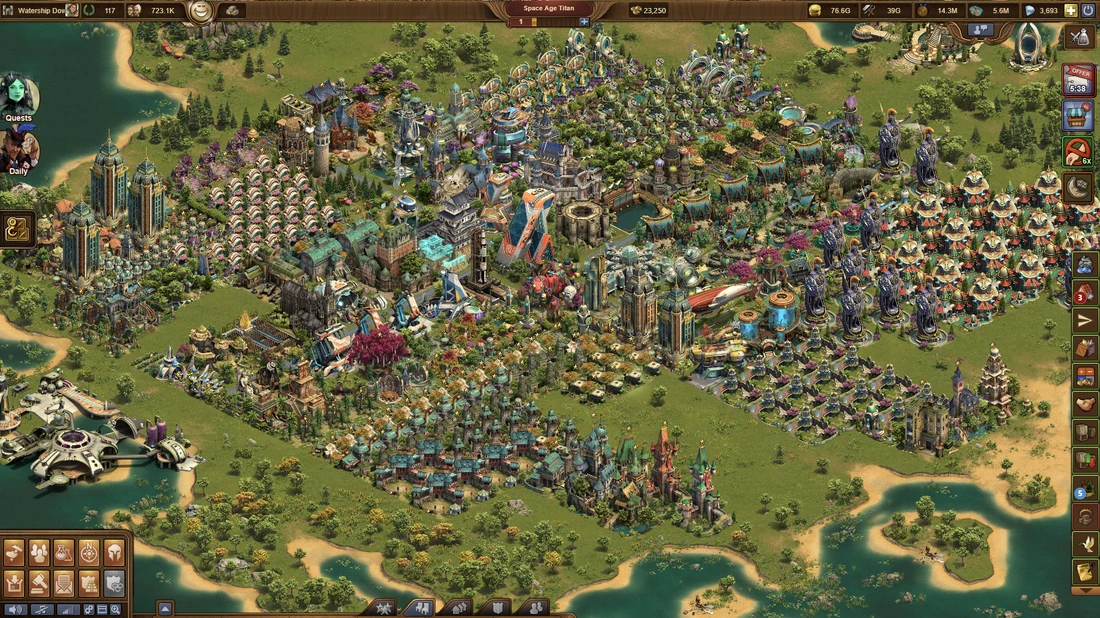
A Forge of Empires city, re-designed by FOE City Designer.
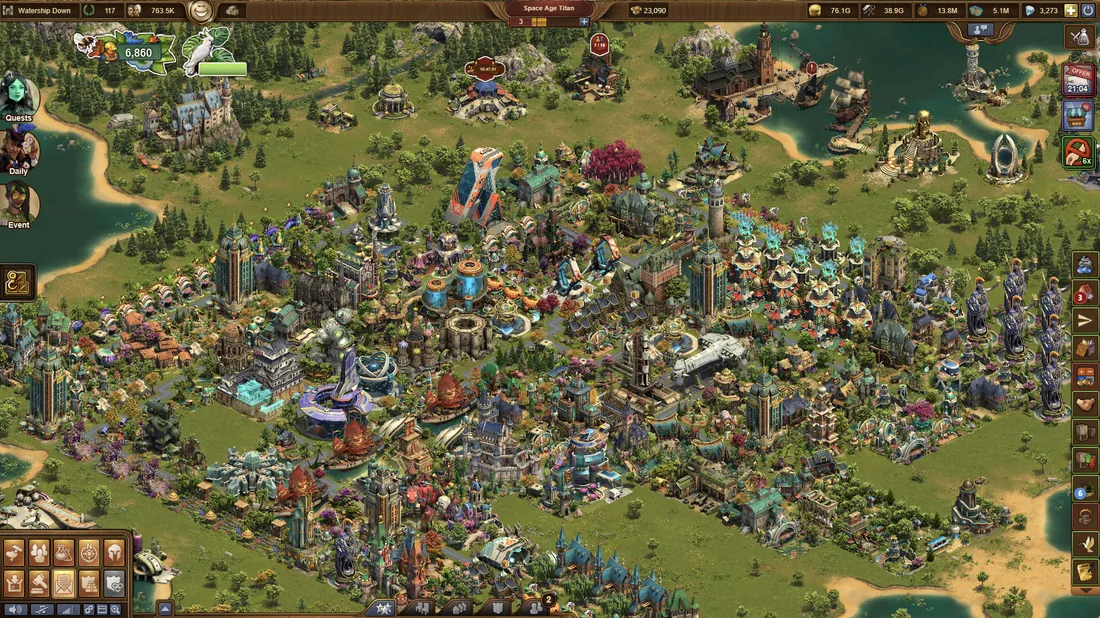
Before City layout before optimisation
After City layout after optimisation
FoE City Designer compass seal logo
STEP 1

Upload: Your MAP and INVENTORY pages

Export your Town Overview map and Building Efficiency table straight from FoE Helper — no manual data entry needed.
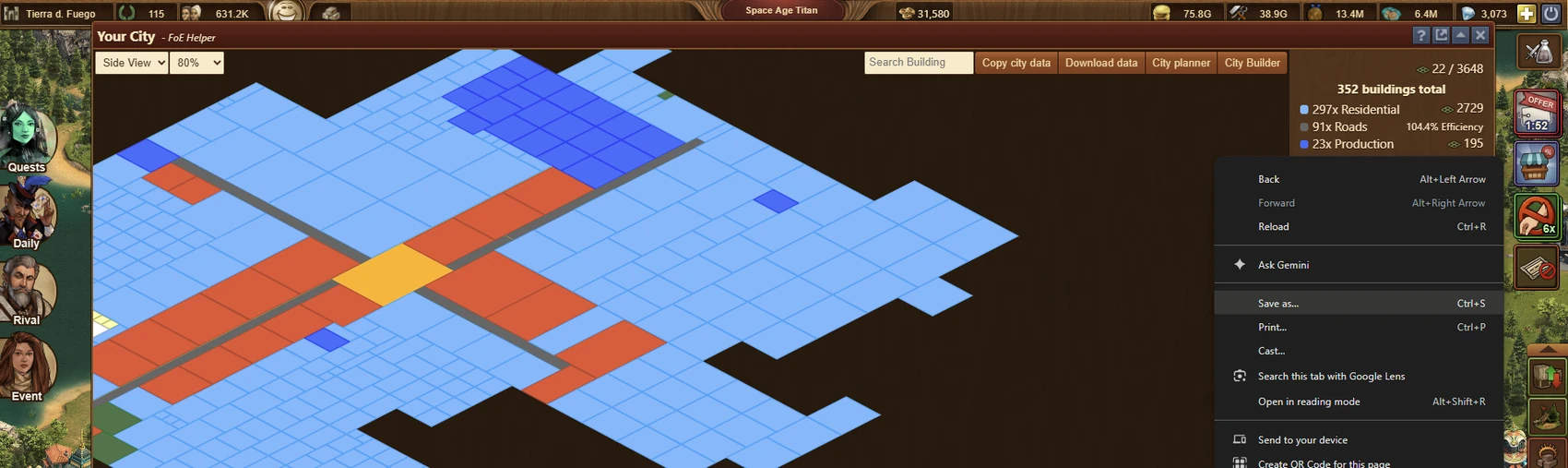
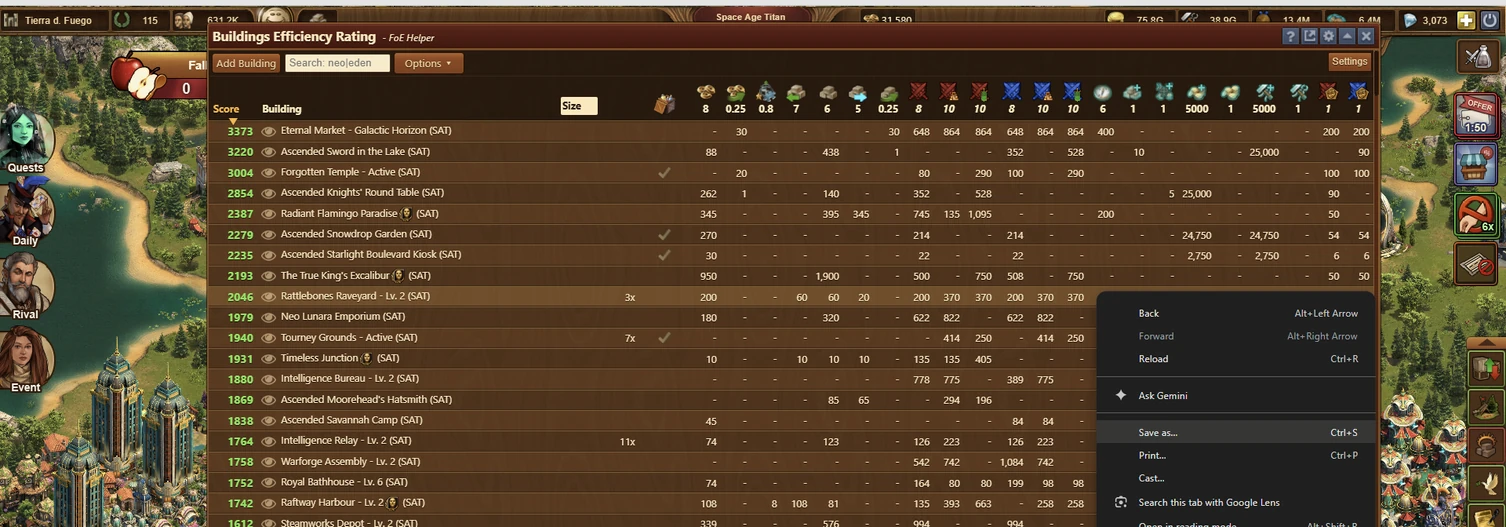
Right-click Save as on the FoE Helper Your City map page Right-click Save as on the FoE Helper Buildings Efficiency Rating page
Chrome and foe-helper: save as MAP.mhtml and INV.mhtml
FoE City Designer compass seal logo
STEP 2

Analyse: Your layout and buildings

The two uploads are cross-referenced automatically, mapping every placed building to its live efficiency data.
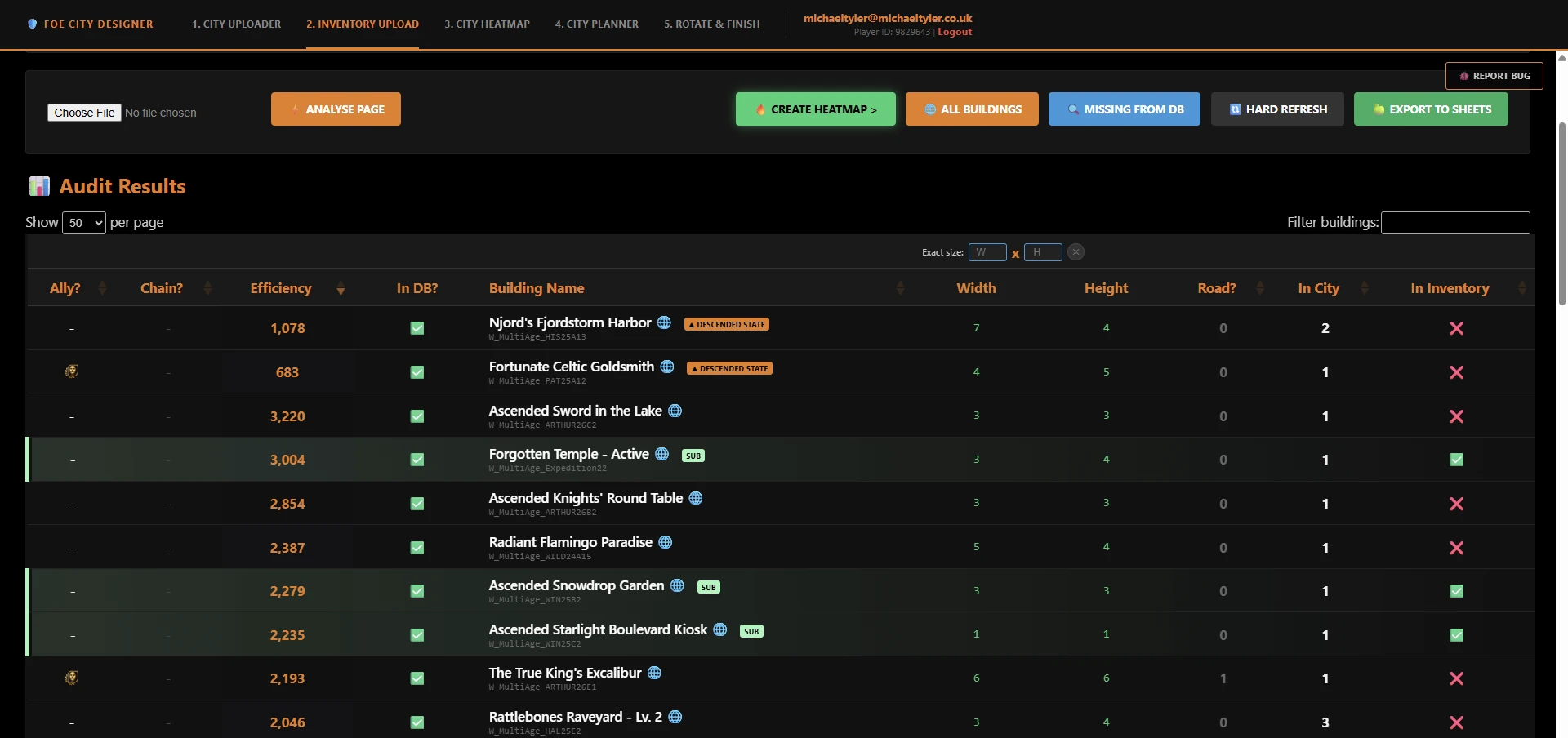
Inventory audit results table with efficiency, size and city/inventory counts per building
Analyse Page: cross-references your MAP and INVENTORY uploads
FoE City Designer compass seal logo
STEP 3

Identify: Buildings that are not performing

A colour-coded heatmap overlay flags underperforming buildings directly on your city map, decile by decile.
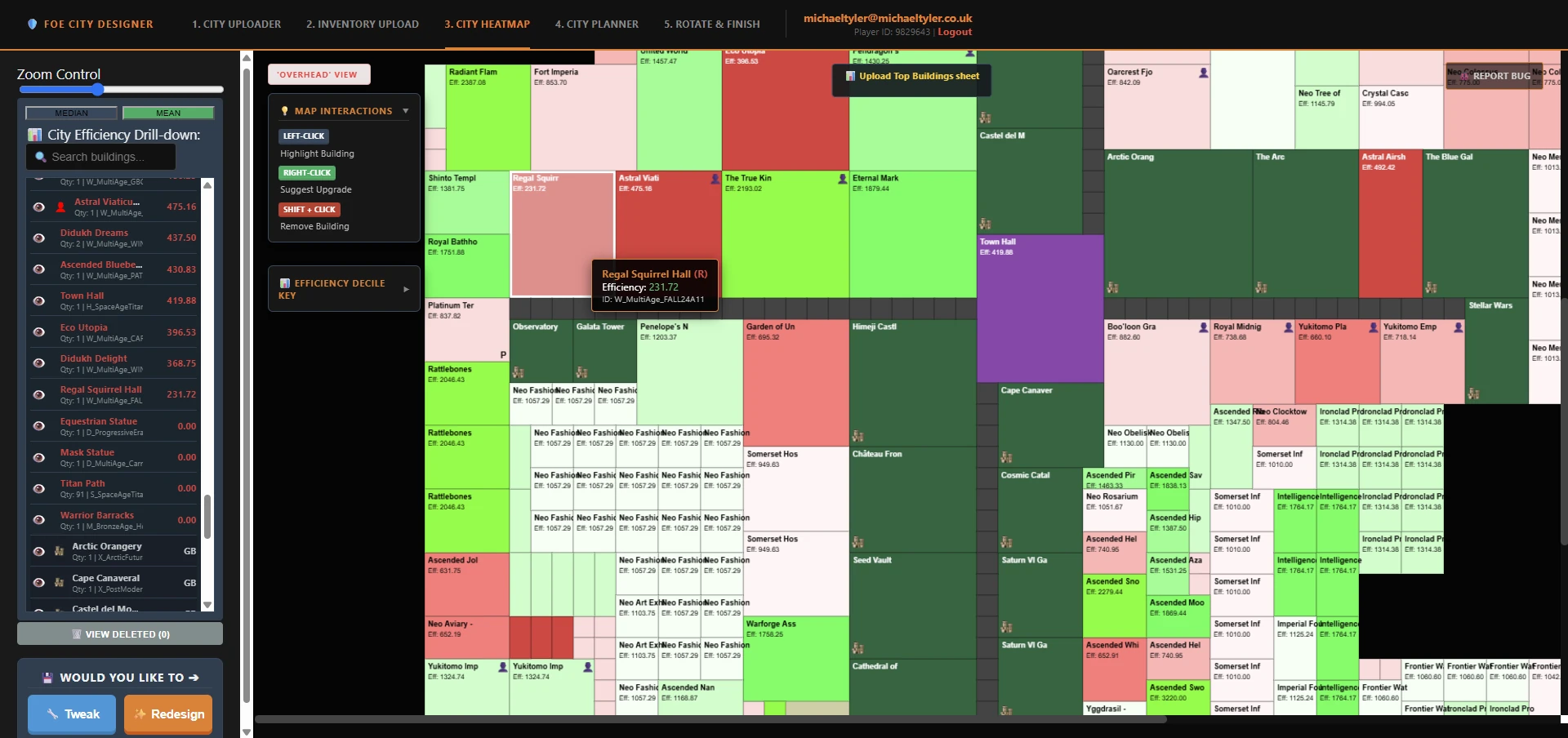
City heatmap overlay showing efficiency colour-coding with Regal Squirrel Hall flagged red at 231.72 efficiency
City Heatmap: red = underperforming, green = efficient
FoE City Designer compass seal logo
STEP 4

Suggest: Replacements of the same size but better efficiency

For every flagged building, get same-footprint alternatives from your inventory ranked by efficiency gain.
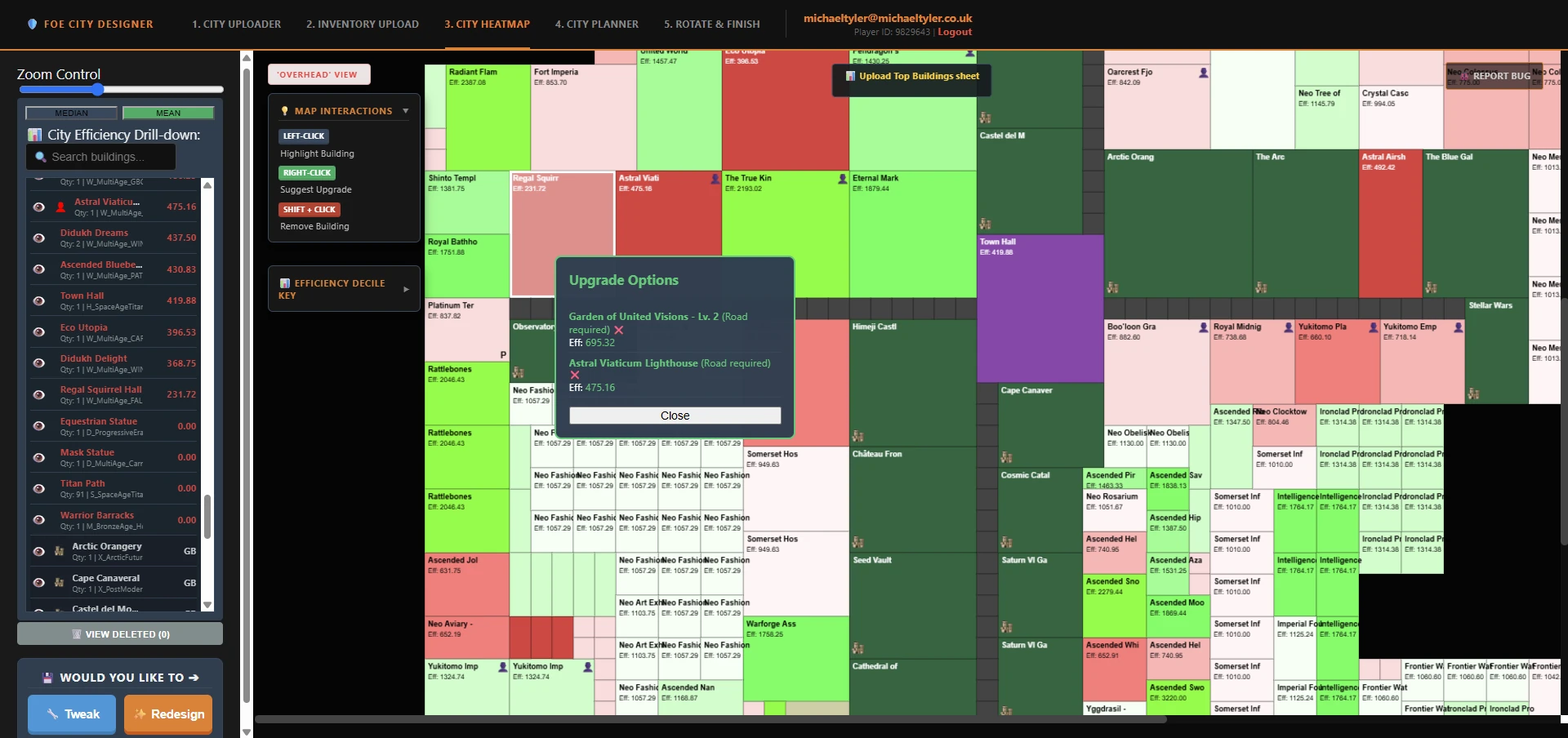
Upgrade Options popup suggesting same-footprint replacement buildings ranked by efficiency
Right-click any building: Suggest Upgrade
FoE City Designer compass seal logo
STEP 5

Create: GB's or clone existing buildings in your INVENTORY

Drop in new Great Buildings or duplicate anything you already own, ready to slot straight into the plan.
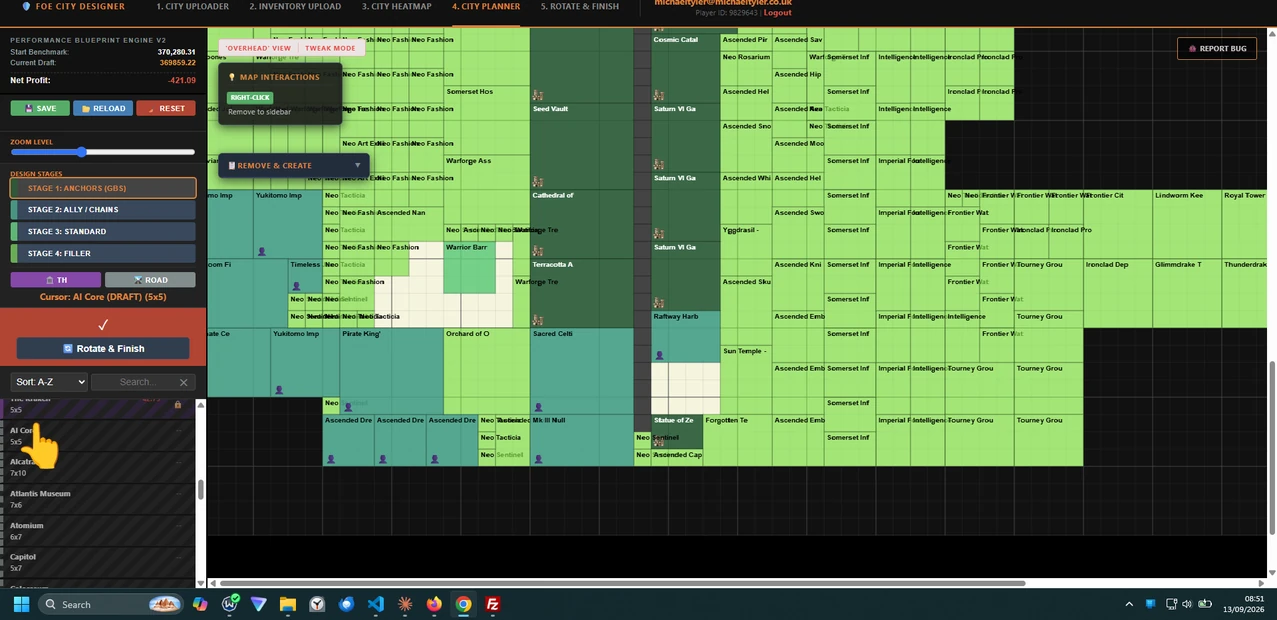
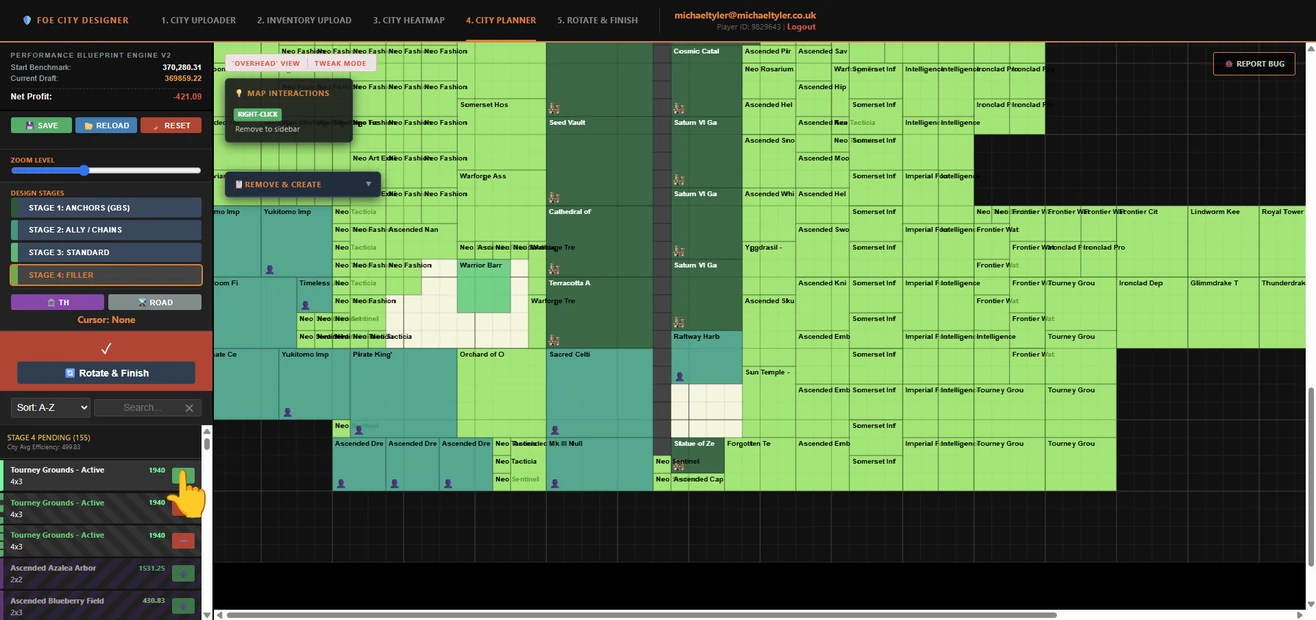
Selecting AI Core from the sidebar to draft a new Great Building Clicking the plus button to clone an existing Tourney Grounds from inventory
Pick a GB to draft, or hit ➕ to clone anything already in your INVENTORY
FoE City Designer compass seal logo
STEP 6

Re-design: Start from a blank slate

Step by step from the ground up — build a fresh, optimised layout on an empty canvas when you want a clean break.
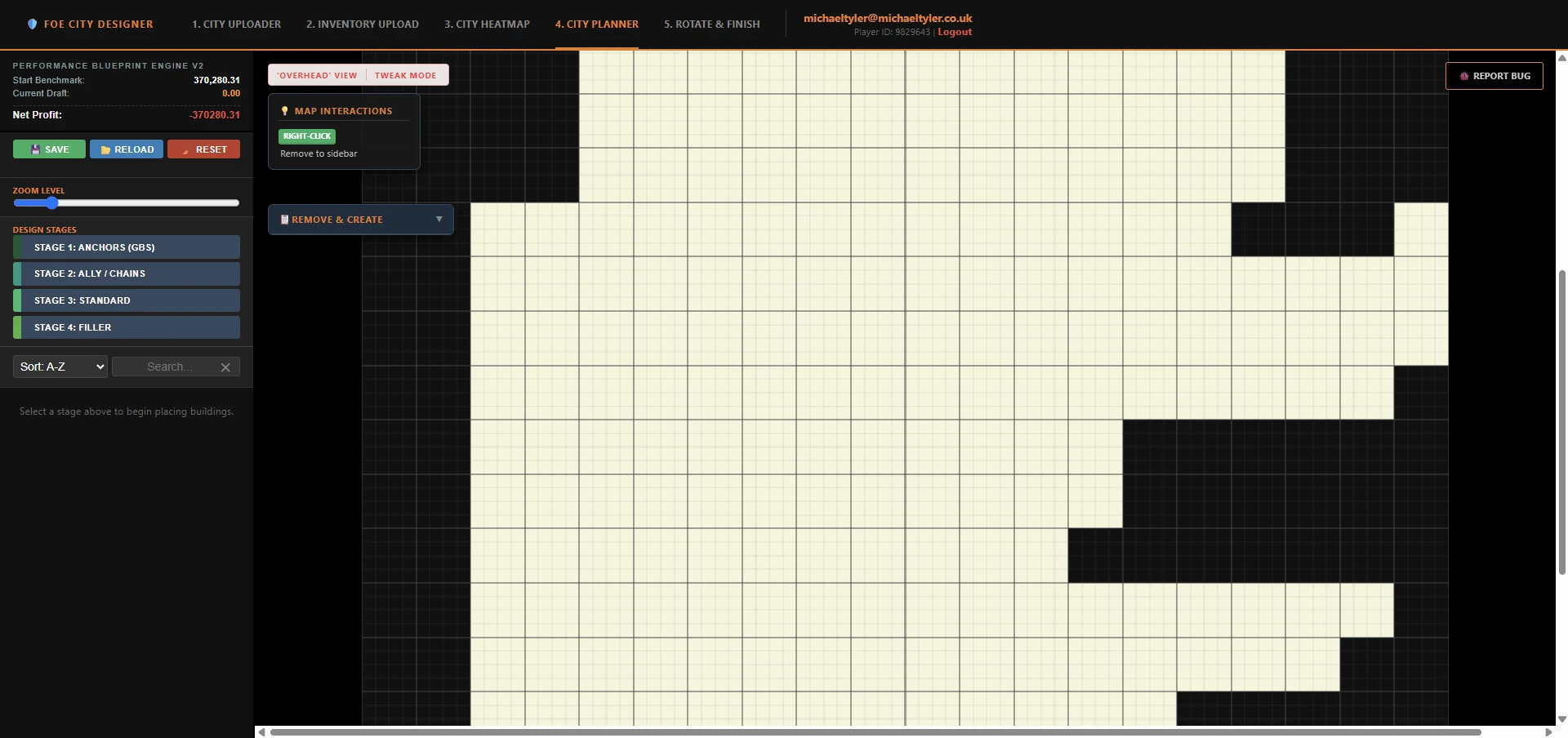
Empty city planner canvas ready for a fresh ground-up design, with the four build stages listed and no buildings placed
A wiped canvas, ready to build up stage by stage
FoE City Designer compass seal logo
STEP 7

Tweak: Fix underperformers without a full re-design

Remove buildings old buildings that aren't pulling their weight. Update after to better buildings seasonal events, all in a sandbox environment as easy as Tetris.
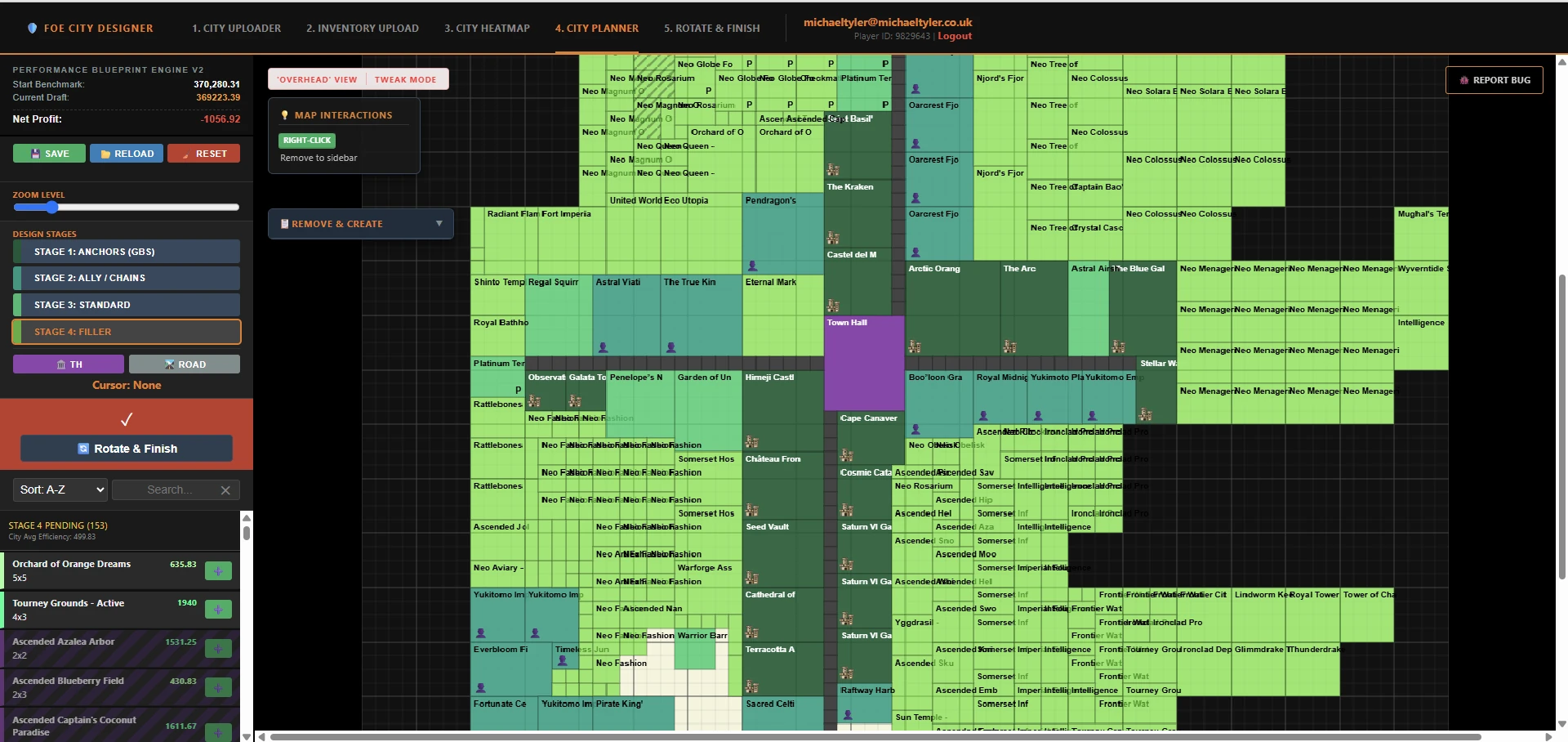
Tweak mode showing the full existing city intact, with a queue of pending Stage 4 replacement buildings in the sidebar
TWEAK MODE: your city stays put, only the flagged buildings queue up
FoE City Designer compass seal logo
STEP 8

Place: Split view with the game for easy placement

A clean, intuitive split-screen view sits alongside Forge of Empires so you can place buildings exactly as planned. Zoom in. Identify exactly what needs to go where.
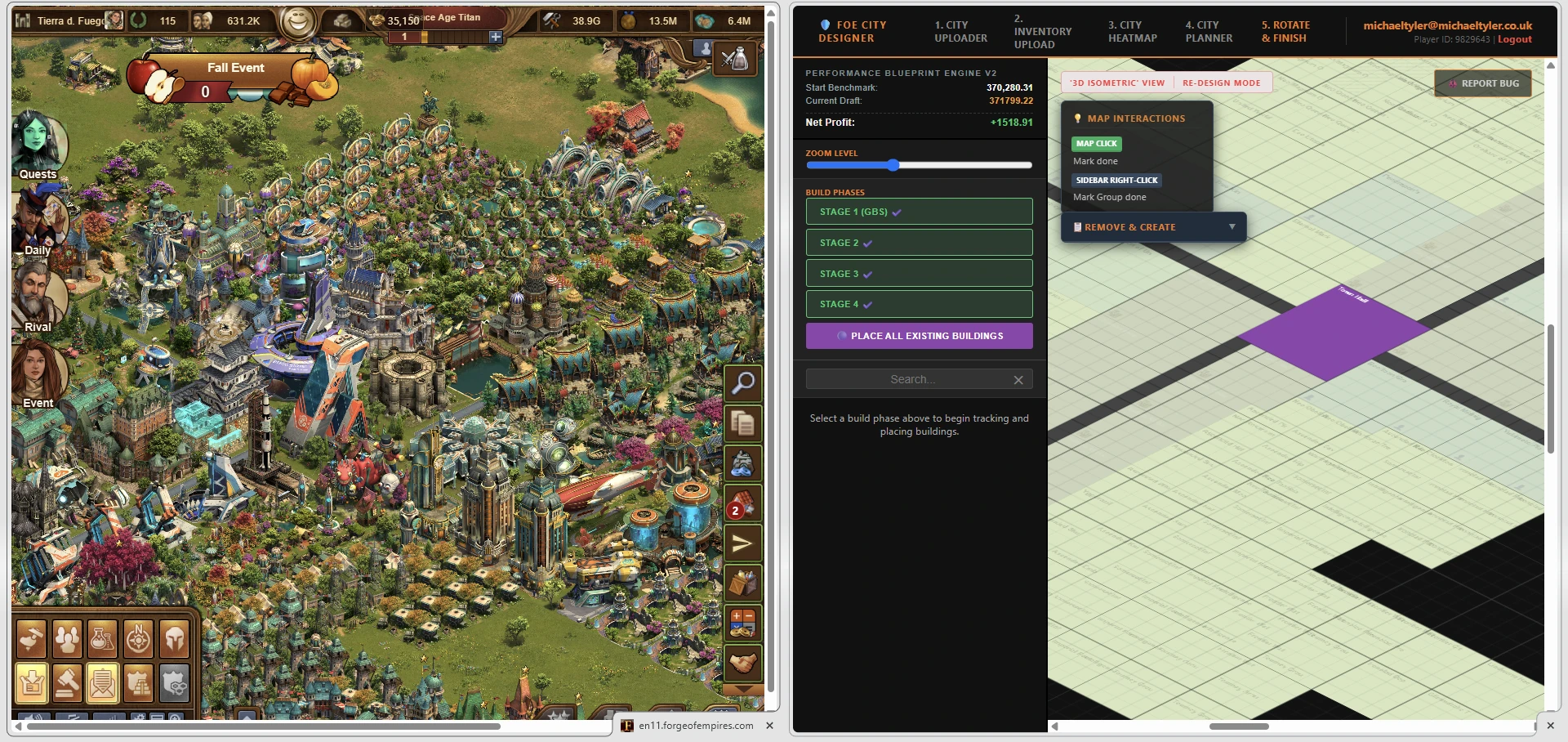
Forge of Empires game window side by side with the Rotate and Finish planner showing the next building to place
Snap the game and the planner side by side — place, tick off, repeat
FoE City Designer compass seal logo
STEP 9

Finish: Reap the rewards!

Lock in the finished layout and track completion — your city, fully optimised, ready to run.
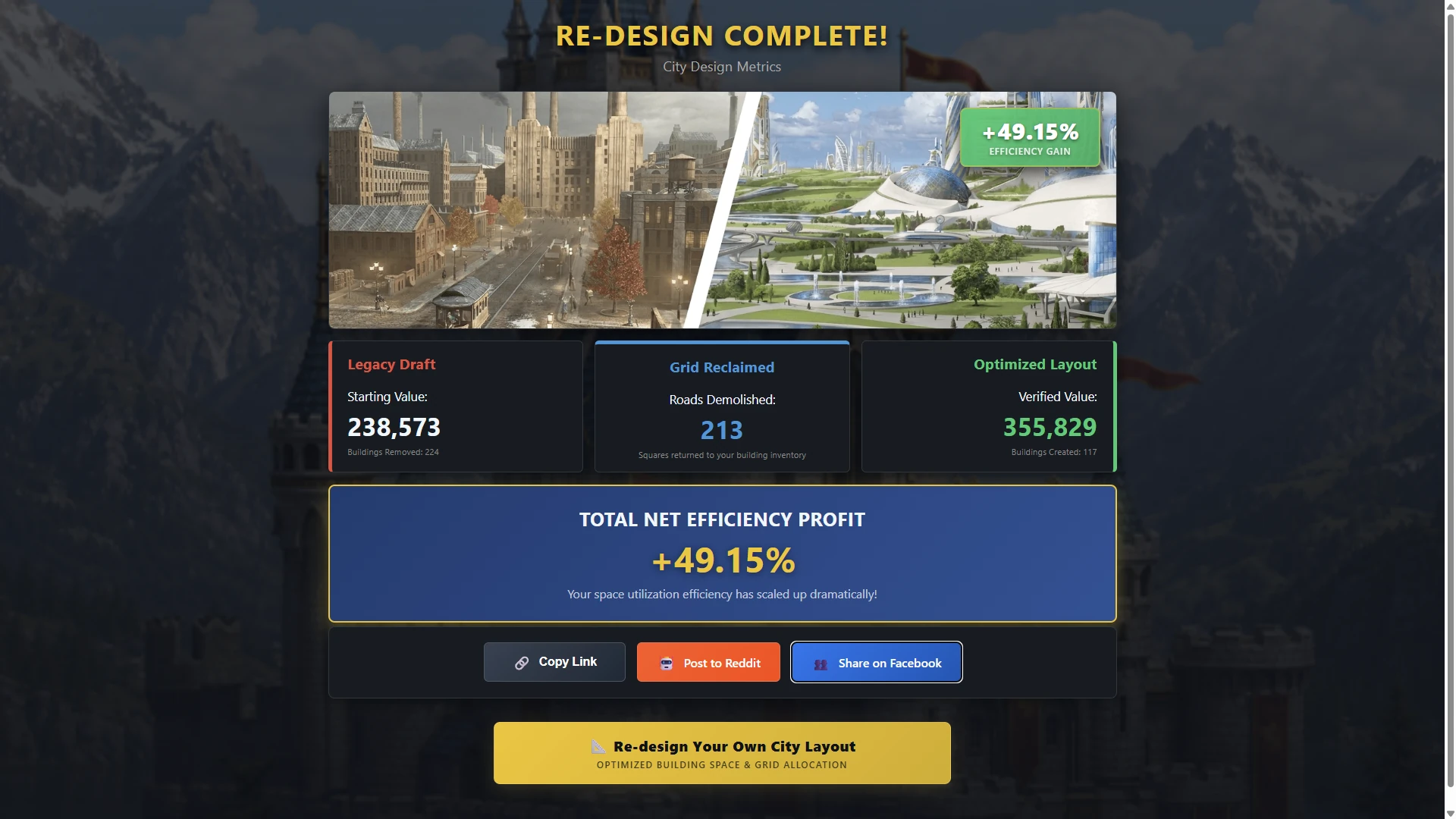
Re-design Complete results screen showing a 49.15% efficiency gain, buildings removed and created, and share options
Your before & after, verified — then share the win!